Day 13 DevOps: Advanced Git & GitHub Skills

💼 Senior Software Engineer
Git Branching🌿
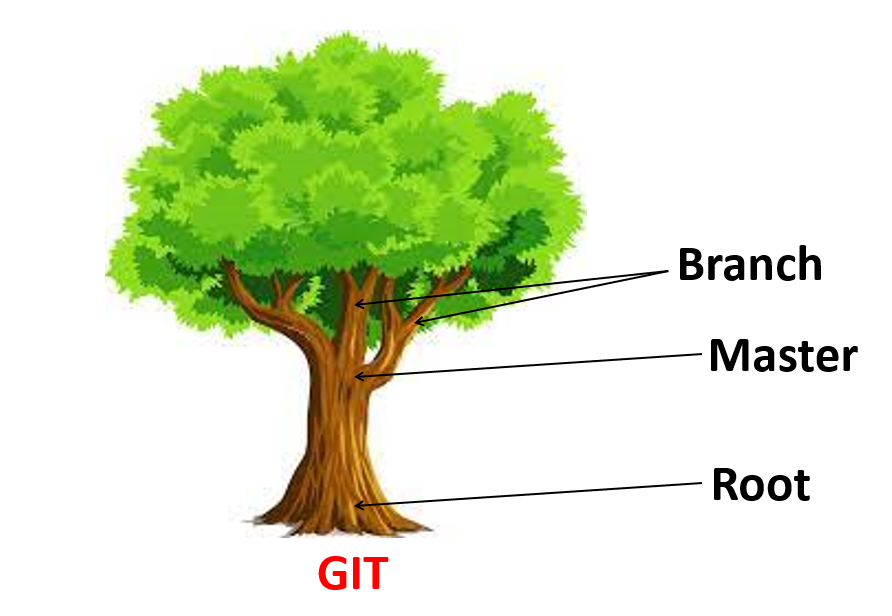
Branches in Git allow you to work on new features, bug fixes, or experiments without impacting other parts of your repository. Each repository has a default branch and can have multiple other branches. You can merge branches using pull requests.
Default branch: Typically main or master.
#Create New Branch
git checkout -b feature-branch

#Switch between branches
git switch master
#OR
git checkout master

#Integrate changes from one branch to another
git merge feature-branch
Git Revert and Reset🔄️
Git reset and git revert are two commonly used commands that enable you to undo changes made in the code in previous commits. Both commands can be very useful in different scenarios.
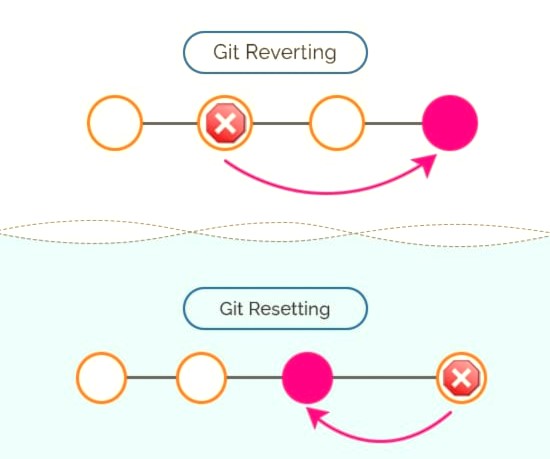
Git Revert: Highlights the commit
git revert <commit id>
Git Reset: Delete all commit
#Remove from git history but store in the file system(stage)
git reset --soft 3

#Untracted Add and Commits
git reset --mixed 3

#Delete all commits
git reset --hard 3
Git Rebase and Merge🔀
Rebase: Integrate changes and rewrite commit history, Linear format
git rebase main
Merge: Combine branches while preserving commit history, Tree format
git merge feature-branch
Task:📝
Create a Branch and Add a Feature:
ubuntu@ip-172-31-45-42:~$ cd day13
ubuntu@ip-172-31-45-42:~/day13$ git config --list
ubuntu@ip-172-31-45-42:~/day13$ mkdir github
ubuntu@ip-172-31-45-42:~/day13$ cd github/
ubuntu@ip-172-31-45-42:~/day13/github$ git init

Initialized empty Git repository in /home/ubuntu/day13/github/.git/
ubuntu@ip-172-31-45-42:~/day13/github$ git remote add origin https://github.com                                                                         /ketanhiray/DevOps.git
ubuntu@ip-172-31-45-42:~/day13/github$ mkdir -p Devops/Git
ubuntu@ip-172-31-45-42:~/day13/github$ echo "This is first feature added." > De                                                                         vops/Git/version01.txt
ubuntu@ip-172-31-45-42:~/day13/github$ git checkout -b dev
Switched to a new branch 'dev'
ubuntu@ip-172-31-45-42:~/day13/github$ git add Devops/Git/version01.txt
ubuntu@ip-172-31-45-42:~/day13/github$ git commit -m "Added new Fature"
[dev (root-commit) 0980a63] Added new Fature
 1 file changed, 1 insertion(+)
 create mode 100644 Devops/Git/version01.txt

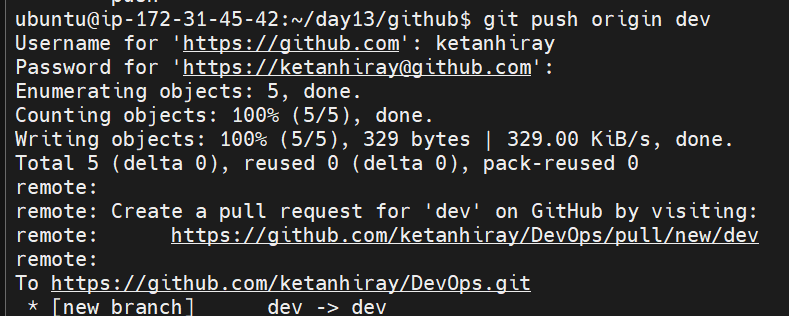
ubuntu@ip-172-31-45-42:~/day13/github$ git push origin dev
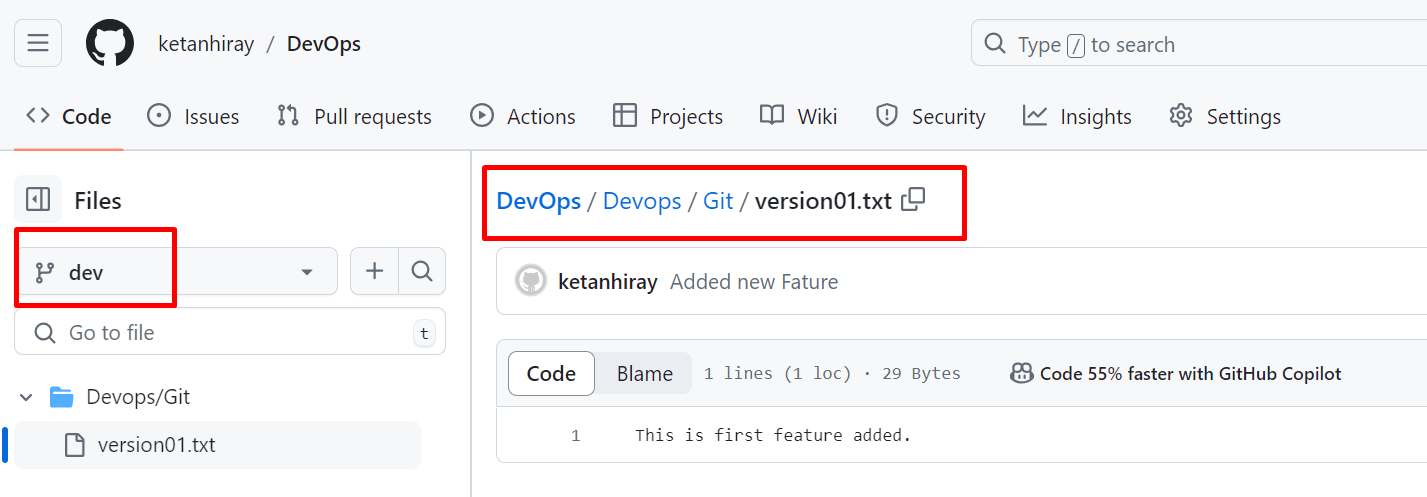
Add More Features with Separate Commits:
ubuntu@ip-172-31-45-42:~/day13/github$ echo "This is bug fix in dev branch" >De                                                                         vops/Git/version01.txt
ubuntu@ip-172-31-45-42:~/day13/github$ git commit -am "Added feature2 in dev br                                                                         anch"
[dev ad4ae27] Added feature2 in dev branch
 1 file changed, 1 insertion(+), 1 deletion(-)

ubuntu@ip-172-31-45-42:~/day13/github$ echo "This is gadbad cod" > Devops/Git/v                                                                         ersion01.txt
ubuntu@ip-172-31-45-42:~/day13/github$ git commit -am "Added feature3 in dev br                                                                         anch"
[dev 7a22628] Added feature3 in dev branch
 1 file changed, 1 insertion(+), 1 deletion(-)

ubuntu@ip-172-31-45-42:~/day13/github$ echo "This feature will gadbad everythin                                                                         g from row" > Devops/Git/version01.txt
ubuntu@ip-172-31-45-42:~/day13/github$ git commit -am "Added feature4 in dev br                                                                         anch"
[dev 9768d0e] Added feature4 in dev branch
 1 file changed, 1 insertion(+), 1 deletion(-)
Restore the File to a Previous Version:
Revert or reset the file to where the content should be “This is the bug fix in the development branch”:
git revert HEAD~2
Working with Branches
Demonstrate Branches:
Create 2 or more branches and take screenshots to show the branch structure.
    ubuntu@ip-172-31-45-42:~/day13/github$ git branch qa
    ubuntu@ip-172-31-45-42:~/day13/github$ git branch moc
Merge Changes into Master:
Make some changes to the
devbranch and merge it intomaster:git checkout master git merge dev
Conclusion🧐
Mastering Git commands, and understanding branching, merging, reverting, resetting, and rebasing can significantly improve your development workflow.